How to Choose a Mechanical Keyboard: A Practical 2026 Buyer's Guide
Switches? Layouts? PBT keycaps? The jargon can be overwhelming. Don't worry. Here's how to find the right mechanical keyboard for you, whether you're typing all day or owning the competition.

It All Starts With the Switch: Decoding Feel and Sound
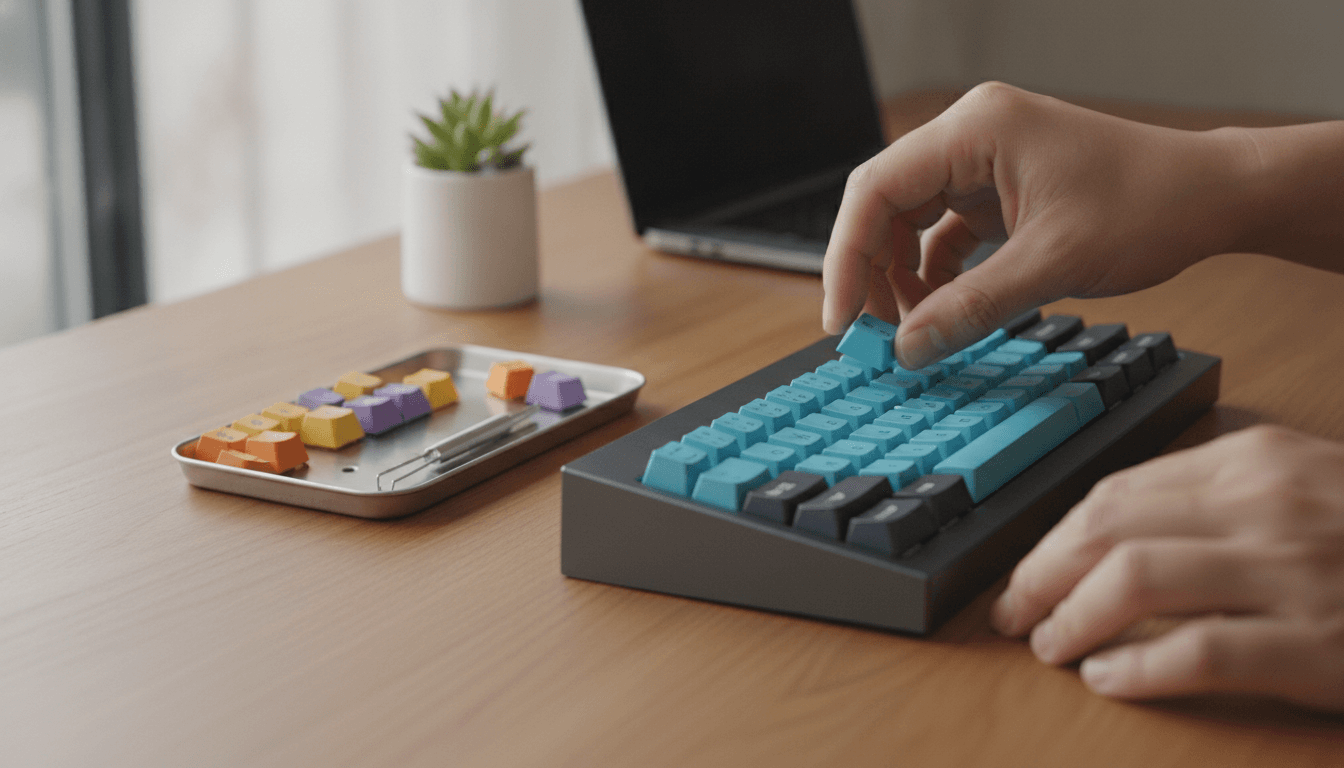
What’s the big deal with mechanical keyboards? It all happens under the keycaps. Gone are the mushy rubber domes of your standard office clunker. Here, every single key gets its own dedicated mechanical switch. That's the heart of it. Understanding the three main types isn't just a good idea—it's the most critical choice you'll make, defining the feel and sound of every keystroke.
Linear Switches: Smooth and Swift
Picture this: a keypress that's utterly smooth from top to bottom. No bump. No click. That’s a linear switch. Their uninterrupted travel path is why competitive gamers love them, allowing for ridiculously fast, repeated taps with almost no resistance. They're also usually the quietest of the lot since there's no physical 'event' to make noise, which makes your coworkers happy. Think Cherry MX Red or Gateron Red.
Tactile Switches: The Satisfying Bump
If you type for a living, tactile switches might just be your holy grail. What’s the secret? A small, noticeable bump partway through the keypress. Just a little one. This physical nudge confirms the key has been activated without making a racket, which can genuinely improve accuracy and stop you from slamming the keys all the way down. It's a deeply satisfying feeling. The classic example here is the Cherry MX Brown.
Clicky Switches: Loud and Proud
And then there are the clicky switches. The loudest of the bunch. By far. They take the bump from a tactile switch and add a sharp, audible 'CLICK'. It's the classic typewriter sound, just brought into the 21st century. Immensely satisfying for you, sure, but a potential nightmare for anyone sharing your space. So, if you work from home or just don't care what others think, a switch like the Cherry MX Blue has your name on it.
Finding Your Fit: A Guide to Keyboard Layouts and Sizes
Okay, you've figured out the feel. Now for the fit. Mechanical keyboards come in a dizzying array of sizes, or 'form factors.' These dictate the board's physical footprint and how many keys you get. Choosing the right one is about more than aesthetics; it’s a crucial decision that maximizes your desk space and complements your entire workflow.
The Full-Size Behemoth (100%)
You know this one. It's the traditional layout you see everywhere, complete with every key imaginable: alphanumeric block, function row, navigation cluster, and that all-important number pad. All 104 or 105 of them. For data entry pros, it’s non-negotiable. The obvious catch? It’s a beast, swallowing a huge chunk of your desk.
The Tenkeyless Mainstay (TKL or 80%)
Meet the most popular compact layout. The Tenkeyless (TKL). It's a simple recipe: take a full-size board and just chop off the number pad. Done. That single move, which leaves you with about 87 keys, shrinks the keyboard’s width dramatically, freeing up a ton of space for your mouse. Better ergonomics follow, since your arms aren't so spread apart. For most people, it's the perfect compromise.
The Compact Powerhouse (75%)
A lot of people think this is the perfect layout. The 75%. It shrinks things down even more by brutally eliminating the dead space between key groups, packing everything tightly together. Yet you lose almost nothing important. You still get your function row, dedicated arrow keys, and even a few navigation keys like 'Delete' and 'Page Up/Down'. It’s an incredible design for anyone who craves a small footprint but can’t live without those keys. No wonder it's a favorite for programmers and writers, making it a staple in developer buying guides.
The Minimalist's Choice (65% and 60%)
Want to go small? Truly small? Then you're looking at a 65% or 60% layout. A 65% board ditches the function row but—and this is clever—manages to keep dedicated arrow keys. The 60% is even more ruthless, axing the arrows and the entire navigation cluster. To get those functions back, you have to hold down a special 'Fn' key and press another key. It's a learning curve, for sure. But for competitive gamers who need every square inch of mouse space, or minimalists who want the cleanest desk possible, it’s the only way to go.
Beyond the Basics: Build Quality and Features That Matter
The rabbit hole goes deeper. Much deeper. But for a first-time buyer, you don't need to know everything—just a few key things about build quality and features that separate a good keyboard from a truly great one.
Keycaps: The Part You Actually Touch
Let's talk about the part you actually touch: the keycaps. They're usually made from one of two plastics. ABS or PBT. Most big-name keyboards use ABS (Acrylonitrile Butadiene Styrene). Why? It's cheap and easy to shape into vibrant colors. The big problem is that finger oils eventually give it a gross, greasy shine. Then there's PBT (Polybutylene Terephthalate), a tougher, more textured plastic that resists that shine completely. That's why enthusiasts prefer it. PBT caps also tend to be thicker, producing a deeper, more satisfying *thock* sound when you type.
Case Material and Mounting Style
The keyboard's case is usually either plastic or aluminum. Plastic is fine, especially on your first board. But an aluminum case feels substantial, premium, and makes the whole thing sound more solid. What's even more important, though, is the mounting style—how the guts are actually secured inside the case. Many budget boards use a simple 'tray mount,' where the circuit board (PCB) just screws right into the case, which can make some keys feel different than others. Enthusiasts look for a 'gasket mount.' This design uses rubber gaskets to isolate the main assembly from the case, creating a softer, bouncier typing feel and a much more pleasant, muted sound.
The Modern Must-Have: Hot-Swappable Sockets
Pay attention to this one. For a beginner, the single most important feature to look for might be 'hot-swappable' sockets. This means the switches aren't permanently soldered in. They just sit in sockets. You can pull them out and pop in new ones with a simple tool. No soldering, no technical skill needed. It’s a massive deal. Why? Because it lets you experiment with different switches later without having to buy an entirely new keyboard. If a switch ever breaks, you can just replace it in about ten seconds. Easy.
Programmability: Making the Keyboard Your Own
Lots of modern keyboards support powerful open-source firmware like QMK paired with a dead-simple configuration tool called VIA. What does that mean for you? Total control. VIA gives you a simple visual interface where you can remap any key, build complex macros, or even create entire layers of commands. And you don't have to write a single line of code. The changes apply instantly, so it's incredibly easy to make the keyboard work exactly how *you* work. It’s a powerful way to streamline your day, especially if you're building out a smarter home office tech setup.
Putting It All Together: Where to Start Your Search
So, armed with all this, you’re finally ready to start shopping. Where do you look? Brands like Keychron, Glorious, and Akko have made a name for themselves by selling fantastic, beginner-friendly boards that don't skimp on the high-end features—all without destroying your wallet.
Here's a simple way to narrow your choice:
- Typist or programmer? Look at a 75% or TKL layout with tactile switches. You need those function and arrow keys for productivity, and that tactile bump really helps with accuracy.
- Competitive gamer? You'll probably want a 65% or TKL board with fast linear switches. Maximum speed. Maximum mouse room.
- Work from home and love that click? If nobody's around to complain, a clicky switch on whatever layout you fancy can be an absolute blast to use.
Your first mechanical keyboard isn't just another accessory. It's a fundamental upgrade to how you interact with your computer every single day. This is the start of a deep and rewarding hobby, one that can transform hours of typing from a chore into something you actually look forward to.
Related Articles


This article was produced with AI assistance under human direction, and reviewed and fact-checked by a named editor before publication. How we work.
Frequently asked questions
- What is the best type of mechanical keyboard switch for typing?
- For most people, tactile switches are considered the best for typing. They provide a small, physical bump as feedback when the key is pressed, which confirms the keystroke without the loud noise of a clicky switch. This can improve typing accuracy and comfort over long sessions.
- What's the difference between a TKL and a 75% keyboard?
- A Tenkeyless (TKL) keyboard is a full-size board with the number pad removed, keeping the standard spacing for the navigation cluster. A 75% keyboard is even more compact; it keeps the function row and arrow keys but squishes them all together without empty space, saving more desk room while retaining most of the keys.
- Why should a beginner get a hot-swappable keyboard?
- A hot-swappable keyboard is highly recommended for beginners because it allows you to change the mechanical switches without any soldering. This means you can easily experiment with different switch types (linear, tactile, clicky) to discover your preference, or replace a faulty switch yourself, saving time and money.
- Are PBT keycaps better than ABS keycaps?
- PBT keycaps are generally considered superior to ABS keycaps for durability. PBT plastic is denser and has a textured finish that resists the oily shine that develops on ABS keycaps over time from finger contact. While ABS can offer more vibrant colors, PBT provides a better long-term feel and a deeper typing sound.
- What are the main types of mechanical keyboard switches?
- There are three primary types of mechanical switches. Linear switches are smooth and quiet, preferred for gaming. Tactile switches have a noticeable, quiet bump for feedback, making them ideal for typing. Clicky switches have both a tactile bump and an audible click, offering the most distinct feedback.
Sources & further reading
Sources
- thekeyboardco.com — thekeyboardco.com
- redragon.com — redragon.com
- keebsforall.com — keebsforall.com
- redragonshop.com — redragonshop.com
- keychron.com — keychron.com